


Fall is officially here, at least according to the calendar, but it never felt like summer slowed down. Coaches, teams, and educators kept posting builds, tips, and updates all through the break. Thank you for all your hard work and, if you’re just joining us, we can’t wait for you to jump in. School is back in session, students are settling into their routines, and our Education Team at VEX Robotics has been busy too (keep reading). Even our co-founder, Bob Mimlitch, contributed to this issue.
Competition season is underway as well, with big turnouts at recent events like the University of North Dakota Signature at the Mall of America in Bloomington, Minnesota, and more recently at Speedway: Override in Indianapolis. Whether you’re in the classroom or at a competition, this is just the beginning.
Jump to an article to read:
- Belize and the Case for Robotics as a Sport
- Design Convergence: Why Competition Robots Look Alike
- The Screen Time Question Nobody’s Asking
- Is Your Back-to-School Setup Still Standing?
- Stay Up to Date with VEX Events
- VEX Passport: Connecting STEM Educators Around the World
- Build, Break, Learn: Helping Students See Bugs as Powerful Learning Tools
Belize and the Case for Robotics as a Sport
On September 25, 2023, Belize became the first country in the world to declare robotics a sport. Three years later, the country is still betting on robotics as a way to help students learn, and it is building a plan to take that further.
On August 18, 2026, Belize’s Ministry of E-Governance donated a VEX V5 Classroom Super Kit to the University of Belize for its Jaguar Tech Studio. The kit includes more than 1,500 components, from the Robot Brain and Controller to Smart Motors, sensors, and structural parts, so students can move past theory and design, build, program, and test real robots. The Ministry has also provided a Super Kit to the Belize Robotics Federation for teacher and facilitator training, plans to support the Federation with a VEX AIR Drone system, and will donate more robotics kits to schools and organizations across the country.
Representatives from the University of Belize, the Ministry of E-Governance, the Belize Robotics Federation, and VEX Robotics have also met to discuss a structured pathway connecting high school robotics to study at the University of Belize, and from there to careers in engineering and technology. The Federation is working with VEX Robotics for educational resources, technical guidance, professional development, certification opportunities, and competition resources.
Belize Robotics Federation President Jamie Lee Usher explained the thinking behind it: “If we want more Belizean engineers, programmers, technicians, mathematics and science teachers, and technology professionals, we have to deliberately build that pipeline.” She added that robotics “gives us an engaging way to bring students into those fields and keep them there.”
It’s a strong start, and we’re looking forward to helping Belize grow its programs for students.
What do you think: should robotics be considered a sport in your part of the world? Give us a yes or no vote and share your thoughts here. We may include your answer in a future issue of Drive Forward News.
Open to educators and adults 18 and older. By submitting, you agree VEX Robotics may publish your response and first name in a future issue.
Learn More
Design Convergence: Why Competition Robots Look Alike
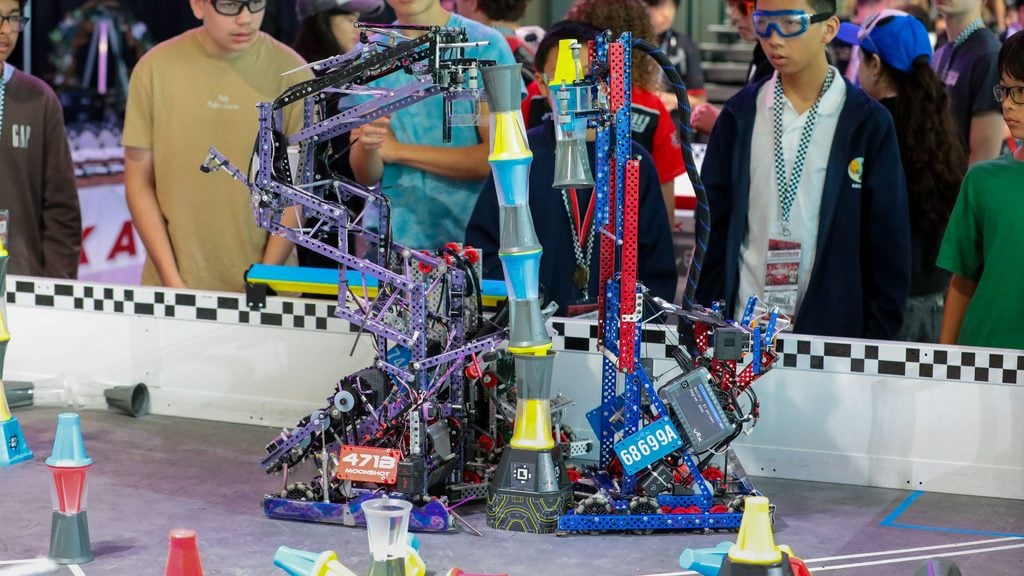
By the end of a season, a lot of competition robots start to look alike. It’s easy to assume teams are copying each other. In his VEX PD+ Insights article, “Design Convergence: Why Robots Look Alike,” VEX Robotics co-founder and Chief Technology Officer Bob Mimlitch explains why that assumption usually misses what’s going on.
Design convergence happens for a few reasons. The game rules limit which approaches can work. Teams watch each other and learn from what succeeds. And mechanisms that don’t perform get dropped quickly in favor of ones that do. Bob compares it to a Jurassic ichthyosaur and a modern dolphin, two very different animals that ended up with similar shapes because they move through the same water. Robots built for the same game, under the same constraints, tend to end up in the same place too.
The difference between convergence and copying comes down to the work. When students adapt an idea, test it, understand how their robot works, and credit where their inspiration came from, a familiar-looking robot is a sign of good engineering and student-centered learning. Copying a design outright is a different thing entirely. That’s why Bob’s advice to judges and coaches is to look past the resemblance and ask whether the team did the engineering.
The Screen Time Question Nobody’s Asking
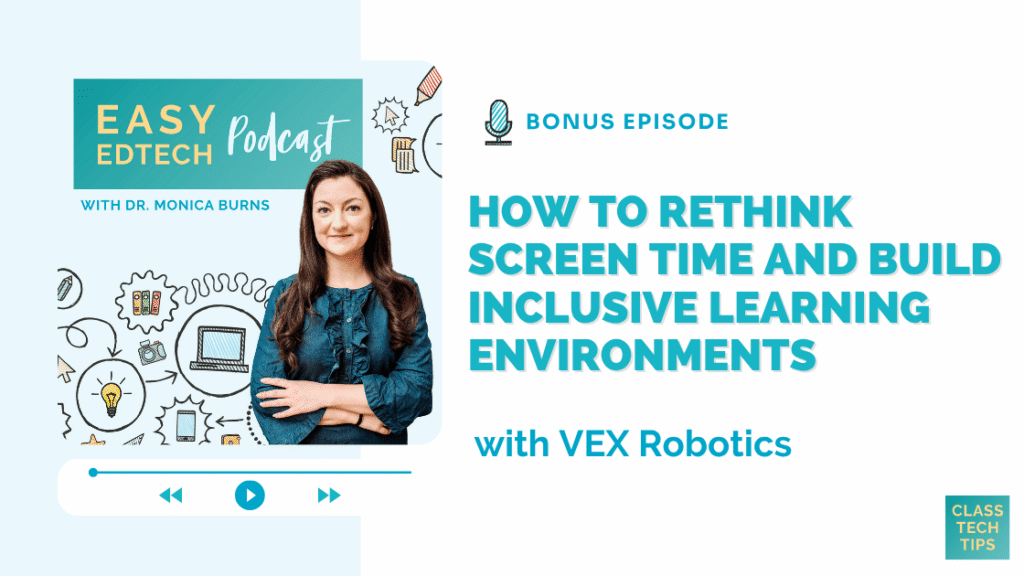
Should screens be allowed in classrooms? It’s the question showing up in school board meetings, parent groups, and staff rooms this fall. On a bonus episode of the Easy EdTech Podcast, host Monica Burns, Ed.D., speaks with Jason McKenna, VP of Global Educational Strategy at VEX Robotics, to talk about whether that’s even the right question.
Jason spent 20 years teaching outside Pittsburgh before joining VEX Robotics, and he brings that classroom lens to everything. He opens with humility: the research on screens isn’t settled, and he won’t judge districts that choose to ban them. What he offers instead is a different way to look at the problem.
Learning is an ecosystem. It’s very similar to gardening,” he explains. A garden is always giving feedback. When something isn’t growing, a good gardener reads the signs and adjusts the soil, the light, or the water. Jason sees classrooms the same way. When students keep escaping into screens, that’s feedback about the learning environment, and the right response is to adjust it. Taking the screen away removes the distraction, but it doesn’t make the work worth paying attention to. For Jason, the better fix is learning that is more rigorous, more meaningful, and more engaging.
He also makes a case every math and science teacher will want to hear. Ninth graders today work through math that challenged Galileo. That isn’t because they’re smarter. It’s because they have better tools, like modern algebraic notation, that make hard ideas easier to think with. Computers and coding are the next version of that leap. They’re a new medium that lets students think in new ways and build their own understanding, not just take in someone else’s. Jason wants to make sure students aren’t locked out of it, and he’s clear that access alone isn’t enough. As he puts it, “Just because a student can use a computer doesn’t mean they can think computationally.”
That’s where robots come in. A robot turns abstract ideas like loops and sensor decisions into something students can watch happen in front of them. Jason calls it “the perfect organizer for STEM.”
You’ll also hear:
- How the POUR accessibility framework, introduced to VEX Robotics by Dr. Maya Israel, changed how the team designs hardware, curriculum, websites, and VEXcode, including keyboard shortcuts that let students drag and drop blocks without a mouse.
- The real classroom headaches behind some VEX Robotics design decisions, from carry totes built for Pittsburgh snow to engineers rethinking how a VEX GO robot handles a reading rug.
- Where to start for free with VEXcode VR, including playgrounds, curriculum, and professional development.
It’s a warm, practical conversation, and you’ll come away with ideas you can bring into your classroom this week.
Is Your Back-to-School Setup Still Standing?
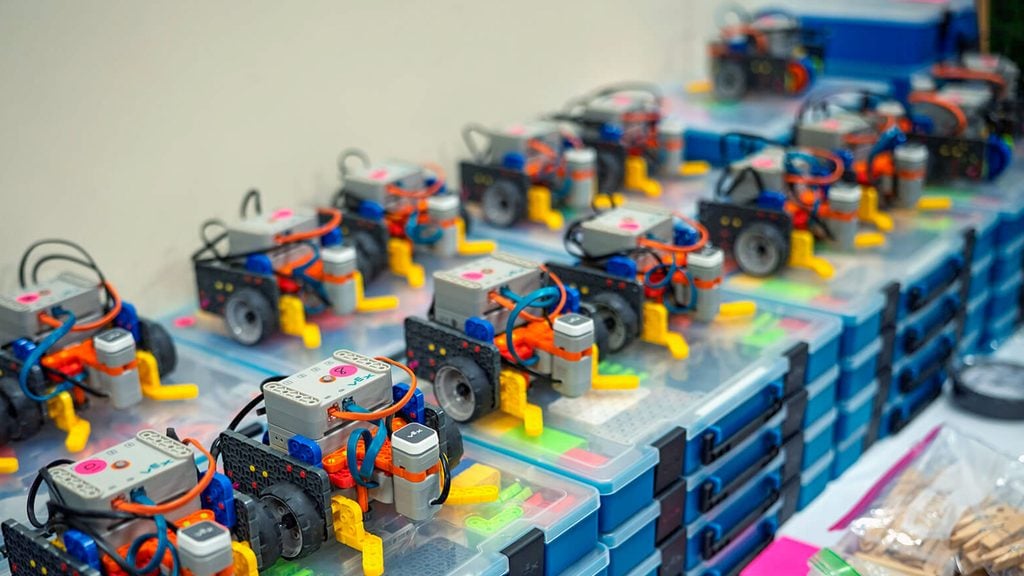
Every teacher knows the moment. A hand goes up, and it isn’t a question about loops or gear ratios. It’s “where does this go?” or “which robot is mine?” or “how do I get back to my project?” Each one is small. Together, they quietly pull you away from the teaching you want to be doing.
Two new VEX PD+ Insights articles take on those moments from different directions, and both are free to read, no subscription required.
From Inventory to Ownership
If you gave your kits a tune up at the start of the year, this is the natural next step. Audra Selkowitz walks through how to build a storage system your students maintain, not you. Design the end-of-class routine before you label a single bin. Give every group a numbered kit. Label with pictures so even emerging readers know where a part belongs, and rename each Brain in VEXcode to match the tape on the robot. Then hand students real jobs, like Parts Manager and Power Manager, and rotate them so everyone learns the whole system.
The payoff goes beyond a tidy room. Students who know where a part belongs, and why it matters, are practicing the same care and precision that building and coding demand.
VEXcode 5: Built for Every Student
VEXcode 5 isn’t an update. It’s a complete rebuild, running in the browser at code.vex.com. Aimee DeFoe explains how accessibility guided every decision. Every part of VEXcode 5 now works without a mouse, so keyboard and mouse users can code side by side in the same project. Every platform starts the same way from one landing page. Students can search example projects, find answers through built-in help, load preset builds that match their robot, rearrange their workspace, and even mute block sounds.
One tip from the article is worth trying this week: teach keyboard navigation to your whole class. When everyone knows it, using it becomes a preference instead of a marker of difference.
Good to know before you switch: VEXcode 5 is currently in beta, with more features rolling out over the coming months. VEXcode 4 is still available and works as it always has, but the two aren’t compatible. Projects created in VEXcode 4 need to stay in VEXcode 4, so if your students are mid-project, finish there and start fresh work in VEXcode 5. The article also links to a running changelog so you can see what’s new with each release.
VEXcode 5 is available as a web app at code.vex.com. (https://kb.vex.com/hc/en-us/articles/48259643574804-What-s-New-in-VEXcode-5)
Pick the one that fits your week, or read both. Either way, you’ll find ideas you can use in your next class.
Stay Up to Date with VEX Events
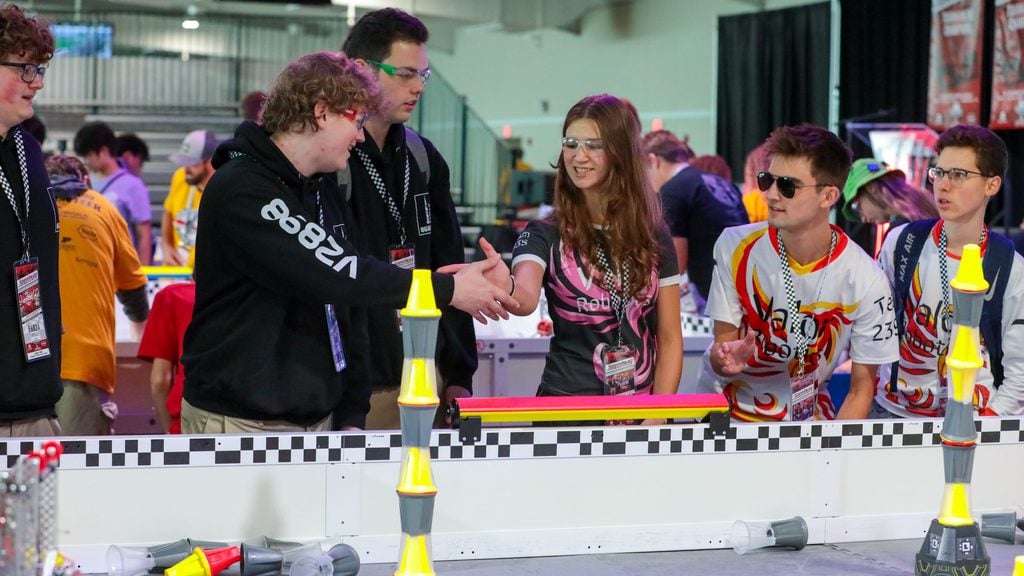
The 2026-2027 season is well underway. VEX V5 Robotics Competition teams are tackling Override, VEX IQ Robotics Competition teams are taking on Level Up, and new events are added every week.
VEX Events is the official competition website for VEX Robotics, and it’s the easiest way to keep your season on track. Use the map search to find events near you, from one-day scrimmages to leagues that run through the winter. Check the Robot Skills standings for VEX IQ, VEX V5, and VEX U to see how teams are scoring around the world. Tune in to webcasts when you can’t be there in person. You’ll also find VEX U, VEX AI, and VEX AIR Drone competitions, along with workshops, camps, and grant information, all in one place.
Whether you’re registering your first team or planning your road to VEX Worlds, it’s worth bookmarking.
VEX Passport: Connecting STEM Educators Around the World
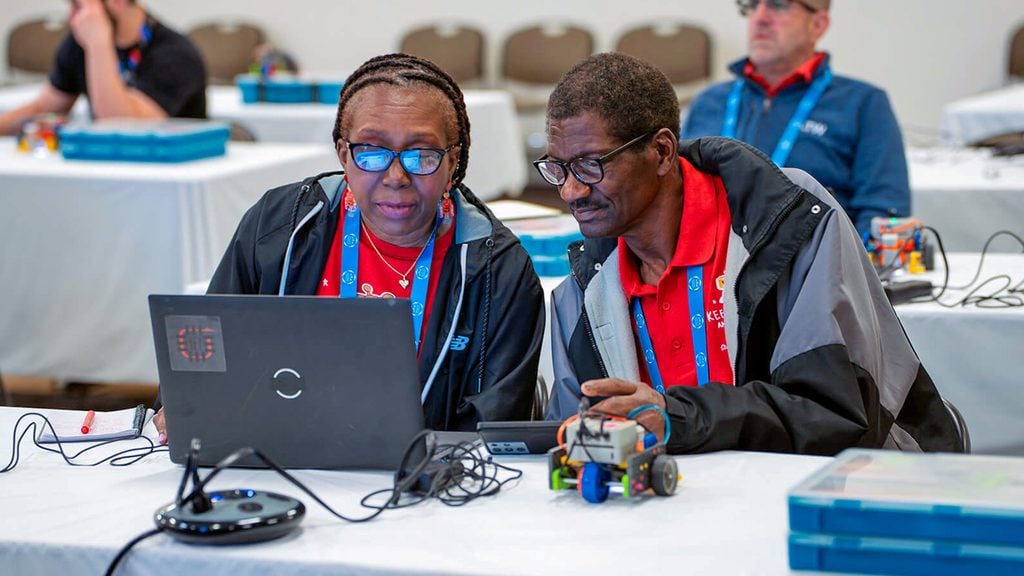
In this VEX PD+ Insights article, Sr. Educational Developer Aimee DeFoe introduces VEX Passport, a feature in PD+ that helps certified VEX educators step out of professional isolation and into a worldwide community. She draws a parallel to the VEX Robotics World Championship, where students from different countries become collaborators and friends. VEX Passport brings that same spirit into everyday teaching, whether you’re the only robotics teacher in your building, a STEM coordinator without a nearby peer, or an administrator trying to understand what STEM looks like in practice.
It works through an interactive map in PD+. Educators can see where others are located, search by location or platform, and connect through the PD+ Community when connections are enabled. A teacher using VEX IQ in Pennsylvania can link up with one in Brazil, or a principal in Ottawa can explore how VEX Robotics is used in Nairobi. Getting started is simple: review your profile and connection settings, then explore the map.
The article closes on a bigger idea. When answers are easy to find, understanding different perspectives is especially important. VEX Passport is an invitation to treat STEM teaching as shared work and a reminder that even a solo robotics teacher doesn’t have to work alone.
Read here.
Explore VEX Passport here.
Build, Break, Learn: Helping Students See Bugs as Powerful Learning Tools
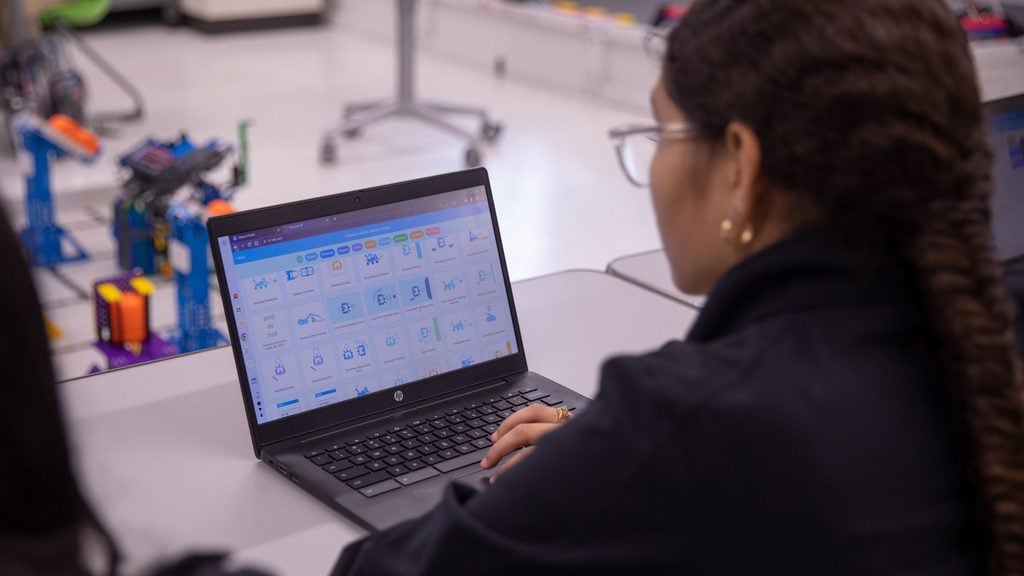
In a recent VEX PD+ Insights article, Sr. Educational Developer Aimee DeFoe argues that coding bugs shouldn’t be rushed past as failures. They’re some of the best learning moments a project offers. Drawing on research from Yasmin Kafai and Deborah Fields, she makes the case that treating debugging as a skill students can learn, and even enjoy, builds resilience, reasoning, and independence. Jumping in with the fix too quickly takes that growth away.
The article then gets practical. It offers a three-question debugging routine (What should it do? How is it trying? Where does it go wrong?) tools in VEXcode like the Step button and block highlighting, and categories for sorting bugs: sequence, logic, configuration, and hardware. It ends with its strongest idea: have students design their own bugs to swap and solve. That deepens understanding, takes the fear out of mistakes, and makes the classroom a place where errors are expected, examined, and even celebrated.
Read here.
Thanks for Reading!
Take a look back at our last issue’s articles: